 EN
EN

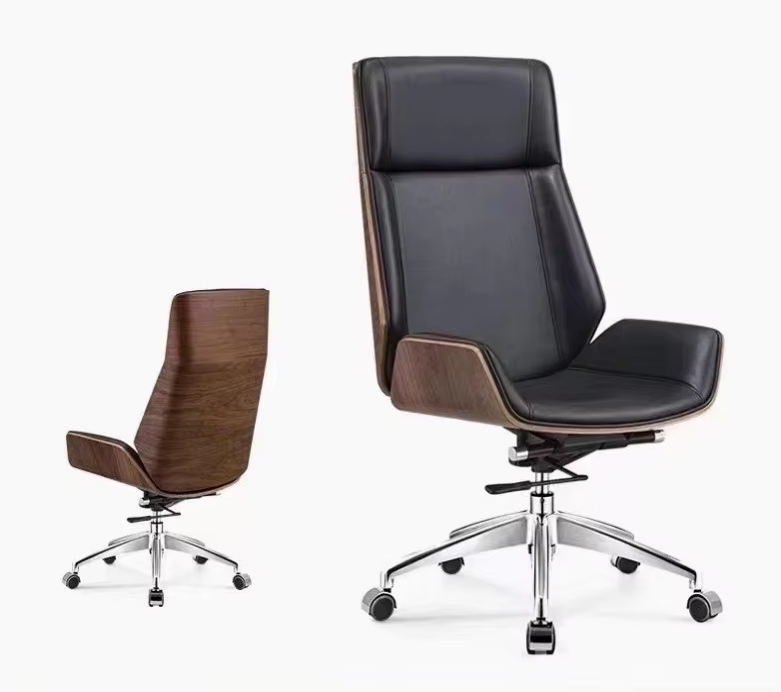
Seat Adjustments: Height, Depth, and Width for Optimal Pelvic and Leg Support
Proper seat adjustments form the foundation of ergonomic seating in any adjustable office chair. Achieving the correct height, depth, and width is critical for distributing weight evenly, supporting the pelvis, and promoting healthy leg circulation.
Pneumatic seat height adjustment and its role in foot-ground contact and circulation
Set your seat height so your feet rest flat on the floor or a footrest, with knees bent at 90–110°. This angle stabilizes the pelvis, reduces pressure on the thighs, and supports venous return—key to preventing leg fatigue and swelling. Most chairs use a pneumatic lever for quick, tool-free adjustment, enabling users to fine-tune their position efficiently.
Seat depth and width customization to prevent pressure points and support thigh length
Adjust seat depth so there’s a 2–3 finger-width gap between the front edge and the back of your knees. This prevents compression of the popliteal nerves and vessels behind the knee while ensuring ~80% of thigh length is supported. Seat width should allow slight clearance on both sides—too narrow forces pelvic rotation; too wide compromises lateral stability. Together, precise depth and width eliminate pressure points and uphold natural pelvic alignment.
Backrest and Lumbar Adjustments: Engineering Spinal Alignment in an Adjustable Office Chair
Proper spinal alignment in an adjustable office chair depends heavily on backrest and lumbar customization. These adjustments prevent long-term injuries by maintaining the spine’s natural curvature.
Dynamic vs. Fixed Lumbar Support Systems and Their Impact on Lower Back Fatigue
Dynamic lumbar systems adapt in real time to spinal movement, delivering continuous support during posture shifts. In contrast, fixed supports apply static pressure—potentially contributing to muscle fatigue over extended sitting. A 2023 study published in Ergonomics found adaptive lumbar systems reduced lower back discomfort by 34% compared to rigid designs, underscoring their value for users with variable movement patterns or high postural demands.
Recline Tension Control and Adjustable Tilt Angles for Task-Specific Posture Variation
Tension control lets you tailor backrest resistance to your body weight and activity—enabling smooth transitions between upright focus and relaxed recline. Forward tilt (0–5°) enhances typing precision, while a 15° recline significantly lowers intradiscal pressure during meetings or reading. When paired with dynamic lumbar support, adjustable tilt distributes load across the backrest surface, reducing cumulative seated strain across full workdays.
Armrests and Headrest: 4D Adjustability and Cervical Support in Modern Adjustable Office Chairs
4D armrest functionality—height, width, depth, and pivot—for shoulder and wrist neutrality
4D armrests offer independent control over height, width, depth, and pivot angle—allowing precise forearm positioning whether typing centrally or using a mouse laterally. This level of adjustability maintains neutral shoulders (avoiding abduction) and wrists (preventing ulnar deviation), directly reducing upper-body fatigue. For best results, set seat height first, then align armrests so elbows rest comfortably at 90°, close to the torso, with shoulders fully relaxed. Sequential setup prevents compensatory postures that undermine ergonomics.
Adjustable headrest design and evidence-based reduction of cervical strain during prolonged screen time
An adjustable headrest is essential for users spending hours at a screen. When reclined, it supports the occiput and preserves the natural lordotic curve of the cervical spine—reducing sustained muscular effort in the upper trapezius and suboccipitals. Position the headrest so your head rests lightly against it with ears aligned vertically over shoulders; this counters forward head posture and offloads neck musculature. Integrated with 4D armrests, a well-tuned headrest completes a cohesive upper-body support system—from pelvis to cervical spine.
FAQs
What is the ideal seat height for an adjustable office chair?
The seat height should allow your feet to rest flat on the floor (or footrest) with knees bent at a 90–110° angle. This stabilizes the pelvis and ensures proper leg circulation.
How much space should there be between the seat edge and the back of my knees?
There should be a 2–3 finger-width gap to prevent compression of nerves and vessels behind the knees while supporting most of the thigh length.
Why is dynamic lumbar support better than fixed lumbar systems?
Dynamic lumbar support adapts to spinal movements, providing continuous support and reducing lower back fatigue compared to fixed systems that apply static pressure.
How do 4D armrests enhance ergonomics?
4D armrests allow adjustments in height, width, depth, and pivot angle, enabling neutral shoulder and wrist positions to reduce upper-body fatigue.
Why is an adjustable headrest important for prolonged screen time?
An adjustable headrest supports the natural curvature of the cervical spine, reducing strain on neck muscles and promoting better posture during long hours of screen work.
Table of Contents
- Seat Adjustments: Height, Depth, and Width for Optimal Pelvic and Leg Support
- Backrest and Lumbar Adjustments: Engineering Spinal Alignment in an Adjustable Office Chair
- Armrests and Headrest: 4D Adjustability and Cervical Support in Modern Adjustable Office Chairs
-
FAQs
- What is the ideal seat height for an adjustable office chair?
- How much space should there be between the seat edge and the back of my knees?
- Why is dynamic lumbar support better than fixed lumbar systems?
- How do 4D armrests enhance ergonomics?
- Why is an adjustable headrest important for prolonged screen time?